

How do I add Big Bullion to my phone as an app?
Big Bullion · Published 4 October 2026 · Updated 4 October 2026 · 4 min read
Reviewed by the Big Bullion team, 4 October 2026
You can add the Big Bullion website to your phone as an app, with its own icon on your home screen, without visiting an app store. On an iPhone or iPad, you do it from Safari's Share button. On an Android phone, you do it from Chrome's menu, or the button on this page where your phone already offers it.
Why bother
Added to your home screen, Big Bullion opens full screen like any other app, in one tap, with no address bar and no browser tabs in the way. It remembers where you left off too: your account, today's prices and your basket are right there, the way you left them.
On an iPhone or iPad (Safari)
- Open bigbullionsg.com in Safari. It has to be Safari for this to work, not another browser.
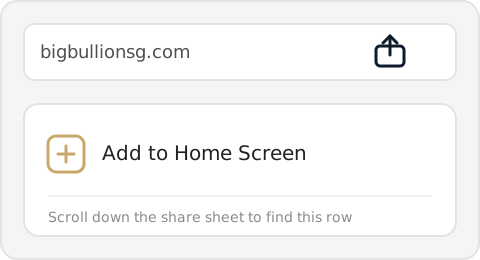
- Tap the Share button, the square with an arrow pointing up, in the middle of the bottom bar.
- Scroll down the sheet that opens and tap "Add to Home Screen".
- Tap "Add" in the top right corner.
- Find the Big Bullion icon on your home screen, and tap it any time to open the app.
Once it's on your home screen, come back any time and see today's prices in one tap.
See today's gold and silver pricesOn an Android phone (Chrome)
Some Android phones show a banner offering to install the app the moment you visit, or the button above does the same thing in one tap. If you see either, you can skip the steps below.
- Open bigbullionsg.com in Chrome.
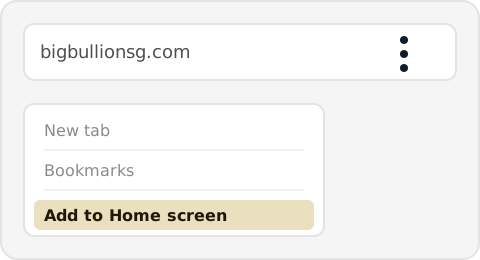
- Tap the three-dot menu in the top right corner.
- Tap "Add to Home screen", or "Install app" where Chrome offers that instead.
- Tap "Add" or "Install" to confirm.
- Find the Big Bullion icon on your home screen, and tap it any time to open the app.
If you don't see the option
- On an iPhone or iPad, it has to be Safari. If you opened this page inside WhatsApp's or Instagram's own browser, look for an option there to open the page in Safari first, then try again.
- On Android, it has to be Chrome. Samsung Internet has the same option too, usually under its own menu in the same place.
Sources
- Our own site: the install manifest, the home-screen app settings and the service worker that make Big Bullion installable (Read 4 October 2026)
Read next
We sell physical gold and silver. Nothing on this page is financial advice.